
Why sell on Amazon.nl?
Since its launch, Amazon.nl has grown into a serious sales channel for the Dutch market. Where bol.com is the largest platform in the Benelux, Amazon.nl offers something bol.com does not: a direct bridge to the rest of Europe.
For Dutch sellers, there are three good reasons to take Amazon.nl seriously. The first is a growing Dutch audience: Amazon.nl attracts a steadily growing group of shoppers, including buyers used to the Amazon ecosystem and Prime. The second is the stepping stone to Europe, because one Amazon account gives you access from the same dashboard to the linked European marketplaces Amazon.de, .fr, .it, .es and .be. And the third is risk spreading: anyone selling only on bol.com depends on one platform, and adding Amazon.nl reduces that risk.
Amazon does work differently from bol.com. A different account model, different content rules, its own fulfillment program (FBA) and an international structure. This guide walks through every step so you start flawlessly. For the broader context, read our guide to multichannel selling.
Amazon.nl in brief
Amazon.nl is Amazon's Dutch marketplace, part of the European Amazon network. You manage everything via Seller Central, choose between fulfillment by Amazon (FBA) or shipping yourself (FBM), and can expand from one account to other European Amazon marketplaces.
Setting up an Amazon seller account
Selling on Amazon.nl starts in Seller Central, the management center for Amazon sellers. Before you register, you choose a selling plan.
Individual versus Professional
Amazon offers two selling plans. The Individual plan charges an amount per unit sold and suits anyone selling few products or wanting to test the platform first. The Professional plan has a fixed monthly fee but no per-unit cost, and unlocks features you need to sell seriously, including access to the Buy Box and bulk tools. For any seller with growth ambitions, the Professional plan is the right choice.
What you need
Have your business details (Chamber of Commerce), a VAT number, a business credit card, a bank account for payouts and an identity document ready when you register. Amazon runs a verification process before your account is fully active.
Products and the GTIN requirement
Amazon works with a product catalog based on unique identifiers. In principle, every product needs a valid GTIN, usually the EAN. For private brands without barcodes, a brand registration or a GTIN exemption may be required. Arrange your product identification before you create listings.
FBA versus FBM: which fulfillment model?
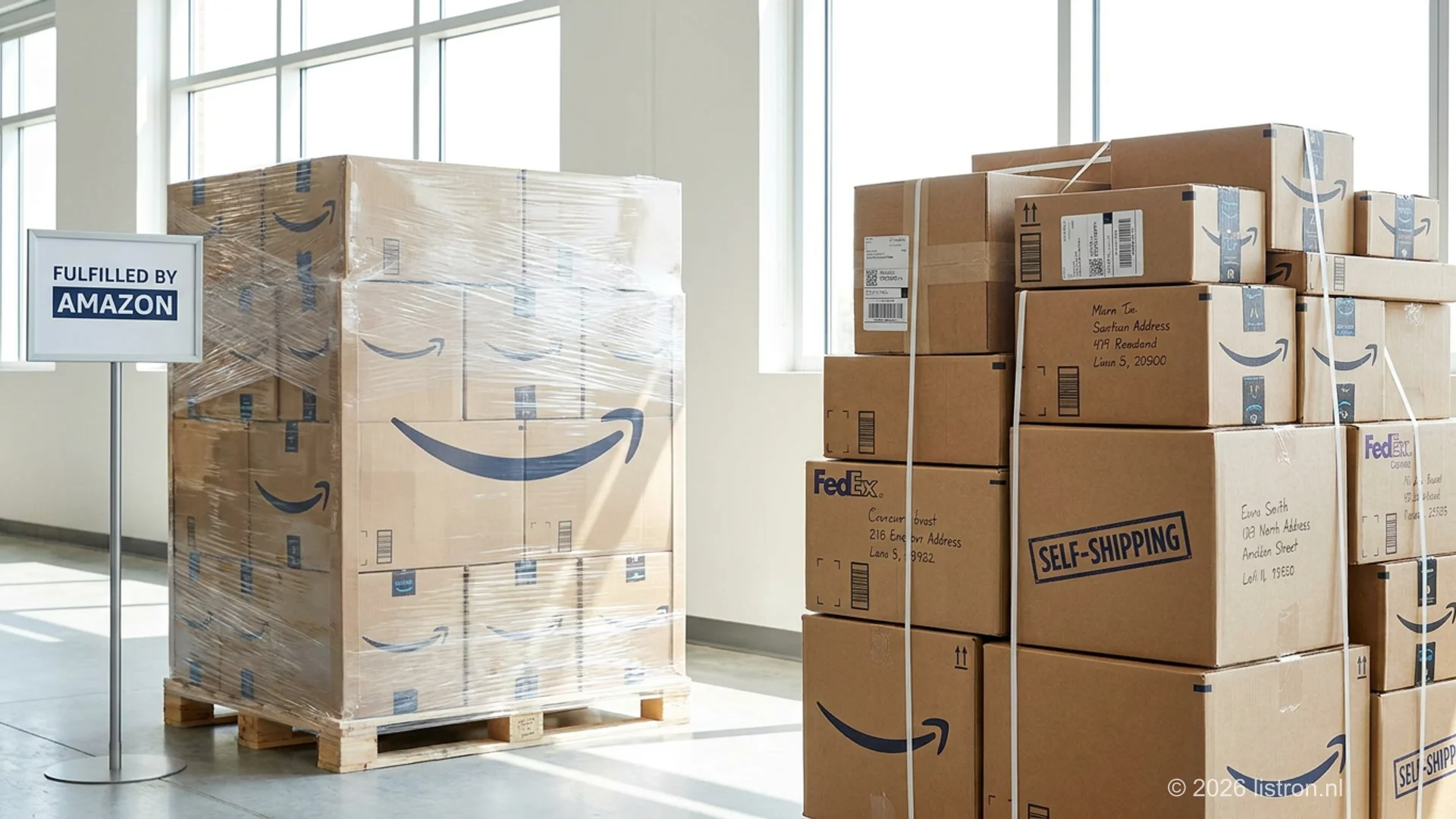
Just as on bol.com, on Amazon you choose how to fulfill orders. The two models are FBA and FBM.
FBA: Fulfillment by Amazon
You send your stock to Amazon's fulfillment centers, and Amazon handles storage, shipping, returns and customer service. The big advantage is that your products qualify for Prime, which strongly boosts visibility and conversion and improves your Buy Box position. Against that are storage and fulfillment costs, plus stricter requirements for how you deliver your stock.
FBM: Fulfillment by Merchant
You keep stock under your own management and ship orders yourself, also called 'seller-fulfilled'. You keep full control and avoid FBA storage costs, but you are responsible for meeting Amazon's delivery-time and service requirements, and your products don't automatically get the Prime label.
Which to choose?
Many sellers use both models: FBA for fast movers where Prime and the Buy Box make the difference, FBM for large, heavy or slow-selling products where FBA costs don't work out. Whichever model you choose, your stock must stay synchronized in real time with your other channels to prevent overselling.
Setting up and optimizing your product listing
Amazon has its own, strongly structured listing format. Those who follow the conventions get found better.
The Amazon structure
An Amazon listing consists of a clear product title, a set of bullet-point features summarizing the key properties, a more detailed product description and structured product data. Those bullet points are characteristic of Amazon. Buyers scan them, and the algorithm reads them too.
Optimizing for search
Amazon has its own search algorithm. Work the terms buyers search for naturally into your title and bullets. No keyword spam, but complete, relevant information. The more complete and relevant your listing, the better your discoverability.
Visuals
Amazon sets clear requirements for product images, including a main image on a white background. In addition, use multiple images showing the product from different angles and in use.
Existing versus new listings
If a product already exists in the Amazon catalog, you add your offer to the existing product page. If it is new, you create a complete listing. For branded products, a brand registration gives extra control over how your listings are displayed.
Winning the Buy Box
When multiple sellers offer the same product, Amazon shows one offer in the Buy Box, the box with the 'Add to Cart' button. The vast majority of sales on a shared product page go through the Buy Box, so winning it is essential.
The Buy Box is awarded based on a combination of factors. Price weighs heavily: it is about a competitive total price including shipping costs. Your fulfillment method counts, and FBA offers often have an advantage through fast, reliable delivery and Prime. Your seller performance plays a role too, such as your order defect rate, your cancellation rate and your delivery-time performance. And a product that is in stock and immediately deliverable stands a better chance than one that is not.
Just as with bol.com's buy block, you don't have to be the absolute cheapest, but your price must be competitive combined with strong performance. Manually keeping your price up against the competition is unworkable on Amazon. Automated repricing adjusts your price in real time within your own rules, with a floor price that protects your margin.
Watch your seller metrics
Amazon is strict on seller performance. A high order defect rate, late shipments or many cancellations cost you not only the Buy Box, but can, when repeated, lead to account restrictions. Accurate inventory and realistic delivery times are not a detail. They protect your account.
Costs and seller fees on Amazon
Your margin on Amazon depends on several cost items. Calculate them all through before you set your prices.
The first is the selling plan cost: the Individual plan charges per unit sold, the Professional plan a fixed monthly fee. In addition, Amazon charges a referral fee per sale, a percentage of the selling price that differs per product category. If you use FBA, per-unit fulfillment fees are added plus storage costs based on volume and storage duration. And don't forget returns, because return shipments bring costs and lost revenue.
The rates differ per category and per fulfillment model, so always check the current fee schedules in Seller Central for your products. Then calculate your actual net margin per product after all costs.
Because Amazon's cost structure differs from bol.com's, your sensible selling price also differs per channel. That is exactly why you set repricing per channel rather than using the same price everywhere.
Automate your selling on Amazon.nl
Listron connects your catalog to Amazon.nl and your other channels, with real-time inventory sync, automated repricing for the Buy Box and centralized order processing.
Request a demoExpanding to Amazon across Europe
Amazon's biggest strategic strength is its European structure. From one seller account, you get access to the linked European marketplaces: Amazon.de, .fr, .it, .es and .be, alongside Amazon.nl.
That opens a much larger market than the Netherlands alone. Germany, for example, is one of Europe's largest e-commerce markets. But expanding is not just flipping a switch. Account for language, because each marketplace expects content in the local language: a German listing needs German content, a French listing French. Account for VAT obligations too, because selling in other EU countries brings VAT registration and filing obligations; get properly advised on that. Think about your logistics, because Amazon offers programs to distribute stock across European fulfillment centers, which shortens delivery times but raises complexity. And account for your pricing per market, since costs and competition differ per country.
Managing multiple Amazon marketplaces at once, each with its own listings, inventory and prices, is exactly the kind of complexity for which automation becomes indispensable.
Automating your Amazon selling
A handful of products on Amazon.nl alone can still be managed with Seller Central. The moment your catalog grows, you combine Amazon with bol.com, or you expand to multiple Amazon marketplaces, automation becomes necessary.
A marketplace integrator connects your central product catalog to Amazon and takes over the repetitive work. Listings are created and updated in the Amazon format, including bullet-point structure, straight from your master data. Inventory stays synchronized in real time between Amazon, bol.com and every other channel, so overselling is prevented. Automated repricing adjusts your price within your rules to win the Buy Box. And order processing is centralized: Amazon orders, returns and cancellations come together with those of your other channels.
That way you manage Amazon.nl, and possibly Amazon.de, .fr and the rest, not as separate silos, but as channels within one automated operation. Listron integrates with Amazon and the other major European marketplaces. Which platform fits your scale is covered in our overview of the best marketplace integrators.
Getting started on Amazon.nl
For Dutch sellers, Amazon.nl is a strong second channel alongside bol.com, and a direct stepping stone to the rest of Europe. The route to a successful start looks like this:
- Choose your selling plan. For growth ambitions, the Professional plan is the right choice.
- Set up your Seller Central account with correct business, VAT and bank details.
- Arrange your product identification: valid GTINs, or a brand registration or exemption where needed.
- Choose your fulfillment model, whether that is FBA, FBM or a mix per product type.
- Create strong listings with Amazon's bullet-point structure and complete content.
- Set up inventory sync and repricing once you scale up or add more channels.
- Consider European expansion when Amazon.nl runs smoothly.
The most powerful approach is to see Amazon.nl not in isolation, but as part of a multichannel strategy alongside bol.com. With automation in place, every extra channel, whether Amazon.de or another marketplace, becomes an extra integration instead of a new manual process.
Ready to professionalize your Amazon selling? Schedule a demo with Listron and discover how to automate listings, inventory and prices across all your channels.